Three free CAD software options cover most hobby and learning needs: FreeCAD for open-source parametric modeling, OpenSCAD for script-driven designs, and Onshape’s free tier for browser-based work.
These tools sit inside the wider field of 3d modeling, but they are built for engineered, dimensioned parts rather than sculpted shapes.
What “free” means in CAD
Since the 2014 release of FreeCAD version 0.14, that program has been described as completely GPL-free in its dependencies, a useful reminder that “free” can mean two different things: no price, or freedom to inspect and change the code. The three programs here sit in different places on that scale. FreeCAD and OpenSCAD are open-source and can be installed and kept indefinitely. Onshape is a hosted service whose free access is a plan decided by its owner, PTC.
That difference matters for long projects. A file saved by an open-source program can be opened years later on a machine you control, and the source code is available if a format ever needs to be understood. A cloud tool offers convenience and collaboration, but the terms can change, so exporting neutral formats such as STEP is a sensible habit with any of them.
This site is editorial and non-commercial. No vendor paid for a mention, no affiliate links are used, and no relationship with any of these projects exists. Each tool is covered on its merits. For a broader overview of commercial and free packages, the site’s guide to cad software compares categories rather than individual programs.
FreeCAD: the full-featured open-source option
FreeCAD is licensed under the LGPL-2.0-or-later and runs on Linux, macOS, and Windows, so there is no platform that locks a user out. It is meant to be a feature-based parametric modeler, which means each shape is built from a recorded history of sketches and operations. Change a dimension early in that history and the part rebuilds itself.
Underneath, FreeCAD relies on open libraries. Open CASCADE Technology supplies the geometry kernel, Coin3D handles the 3D view, Qt provides the interface, and Python serves as the scripting language. Users can extend the program with Python, which is how the project’s add-on workbenches for architecture, sheet metal, and simulation are written.
FreeCAD’s native file format is FCStd, which is a standard zip file. Opening one in any archive tool shows a Document.xml file holding the parametric object definitions, plus separate brep files for the shapes. That openness is rare among CAD formats and makes recovery of a damaged file more realistic.
The project also shows signs of institutional interest. In 2020, developers Yorik Van Havre and Brad Collette presented it at FOSDEM in Brussels, and on 29 March 2025 an event involving the German space agency (DLR) and Altair demonstrated a Mars rover built and simulated with open-source engineering software, FreeCAD among it.
The trade-off is the learning curve. The interface is organized into workbenches, each with its own toolbar, and newcomers often need to learn which workbench to switch to before a command appears. Patience and a first project with a simple bracket or enclosure pay off more than starting with an assembly.
OpenSCAD: models written as code
OpenSCAD takes the opposite approach from a click-and-drag modeler. It is a script-only modeller with its own description language, and the 3D preview can be manipulated interactively but cannot be modified directly in 3D. You write text, press render, and see the result.
A script specifies primitives such as spheres, boxes, and cylinders, then combines them by intersection, difference, or other operations. As such, the program performs constructive solid geometry (CSG). Because the model is a set of named parameters, changing a wall thickness or hole diameter is a one-line edit.
The plain-text format has a second benefit: documents are human-readable ASCII scripts that suit version control systems such as git. A designer can see exactly what changed between two versions of a part, which a binary file cannot show. People who already write software often find this the fastest route to accurate, adjustable parts such as enclosures, brackets, and custom fasteners.
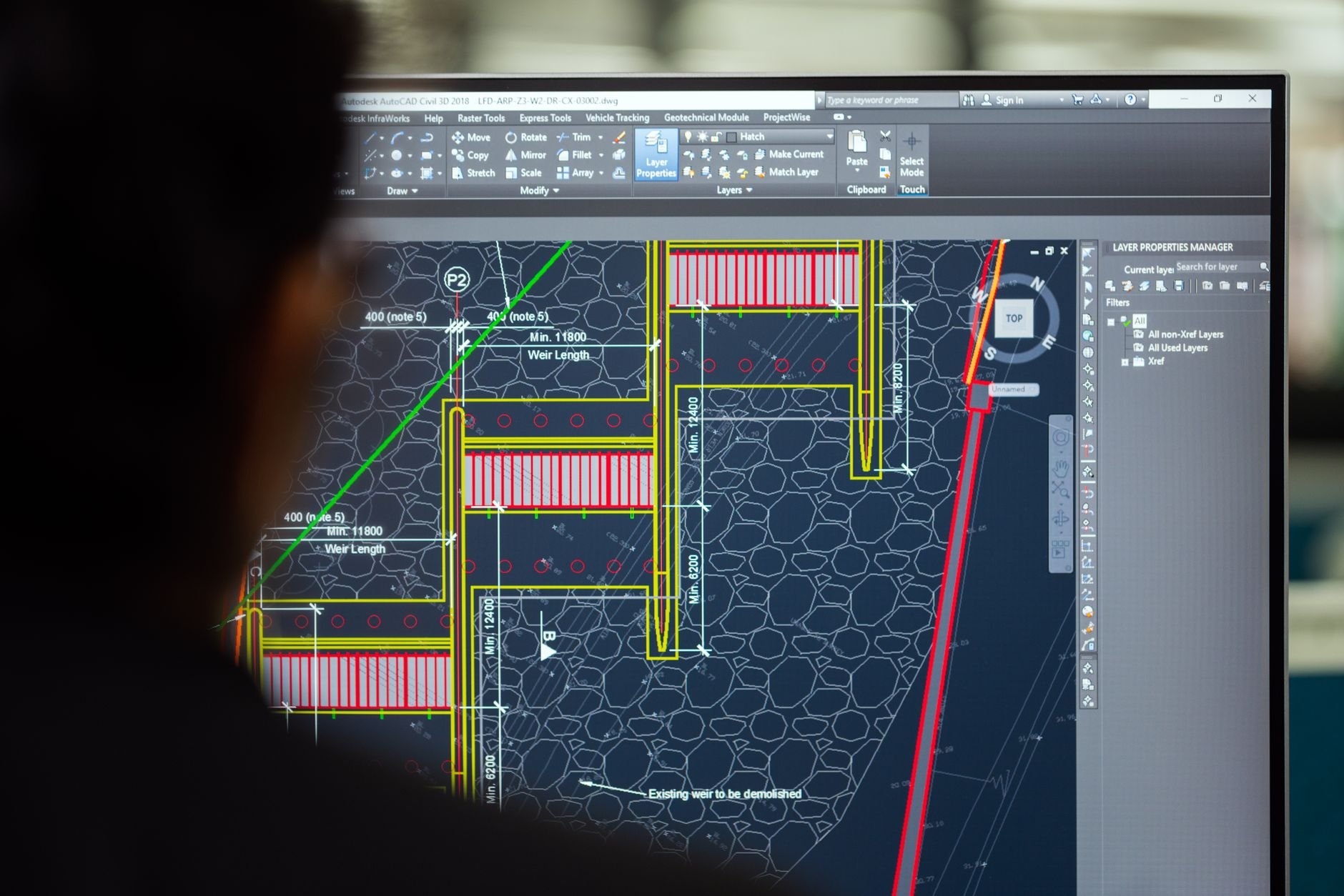
OpenSCAD is a poor fit for organic shapes, since describing a curved surface in code is awkward. For physical objects copied from the real world, a point cloud from a 3d scanner is better cleaned up in mesh tools, then optionally referenced when designing mating parts in a parametric program.
Onshape: CAD in a browser tab
Onshape was founded in 2012 by engineers from SolidWorks, and its co-founders include two former SolidWorks CEOs, Jon Hirschtick and John McEleney. The company’s first funding round was $9 million, and it released a public beta in March 2015 after pre-production testing with more than a thousand CAD professionals in 52 countries.
It is delivered over the Internet as software as a service, with heavy processing and rendering done on remote servers. Users reach it through a web browser or the iOS and Android apps, and upgrades arrive automatically without any installation. That makes it attractive for an older laptop, a Chromebook, or a school computer lab.
In April 2016 Onshape introduced an Education Plan, a free version of Onshape Professional geared for college students and educators. In May 2016 it released FeatureScript, an open-source (MIT licensed) language for creating and customizing CAD features. Onshape is now owned by PTC, which agreed to acquire it in October 2019, and free access for hobbyists and learners is governed by PTC’s current terms, so check the vendor’s plan page before starting a project.
The cloud model has a cost. Work lives on someone else’s servers, and the program needs a connection. Designs created on a free plan may also be public, which is acceptable for a learning project and a poor choice for a confidential product.
Choosing between the three
With three programs and a 2016-era education plan, 2012-era cloud origins, and a decade of open-source history in play, the choice comes down to how a person prefers to work.
- FreeCAD suits people who want a conventional sketch-and-feature workflow, local files, and no account.
- OpenSCAD suits people comfortable with code who want parts defined entirely by parameters.
- Onshape suits people who value collaboration, low hardware requirements, and a polished interface, and who accept a hosted service.
A practical test is to model the same simple part in each: a box with four mounting holes and a lid. An afternoon with each program reveals which working style fits far faster than a feature comparison chart.
Frequently asked questions
Is FreeCAD really free?
Is FreeCAD really free?
Yes. FreeCAD is free and open-source under the LGPL-2.0-or-later license, and it is available for Linux, macOS, and Windows.
Which free CAD program is best for 3D printing?
Which free CAD program is best for 3D printing?
OpenSCAD and FreeCAD both suit printable parts because they are dimension-driven; OpenSCAD performs constructive solid geometry from a script, while FreeCAD records parametric features in a history tree.
Can Onshape run without installing anything?
Can Onshape run without installing anything?
Yes. Onshape is delivered as software as a service and is used through a web browser or the iOS and Android apps, according to its Wikipedia entry.
Can I extend these programs?
Can I extend these programs?
Yes. FreeCAD can be extended with Python, and Onshape’s FeatureScript, released in May 2016, is an MIT-licensed language for custom CAD features.