CAD software lets designers build precise solid models and technical drawings on a computer. Since the IBM Drafting System of the mid-1960s, it has moved from copying manual drafting to defining parts by their function.
It sits at the technical end of 3d modeling, where dimensions and tolerances matter more than looks.
What CAD software actually does
Computer-aided design began as electronic drafting. A 1992 account cited on Wikipedia notes that, starting with the IBM Drafting System in the mid-1960s, CAD systems began to offer more than an ability to reproduce manual drafting, and the cost-benefit of switching became apparent for companies.
Today most applications support solid modeling with boundary representation and NURBS geometry. A maker designing a bracket for a printer and an engineer designing an engine mount use the same underlying ideas: sketches, constraints, and solid features that can be measured and exported.
The reach of the technique is wide. Wikipedia observes that even perfume bottles and shampoo dispensers are designed using techniques unheard of by engineers of the 1960s. A typical workflow starts with a sketch on a plane, adds constraints such as tangency, parallel, or fixed length, and then extrudes, revolves, or sweeps that sketch into a solid. Each step records a decision, and later steps depend on earlier ones.
That chain of decisions is the main difference between CAD and artistic modeling. A sculpted character can be pushed around until it looks right. A mechanical part has to be the right size, with holes that line up with screws and walls thick enough to survive printing or machining. CAD tools therefore give priority to exact numeric input, dimension displays, and checks for interference between parts in an assembly.
Outputs matter as much as inputs. A finished model may leave the program as a mesh for a slicer, as a neutral exchange file for a collaborator, as a flat drawing for a workshop, or as toolpaths for a milling machine. Knowing which of those you need narrows the field of suitable software quickly.
Parametric versus direct modeling
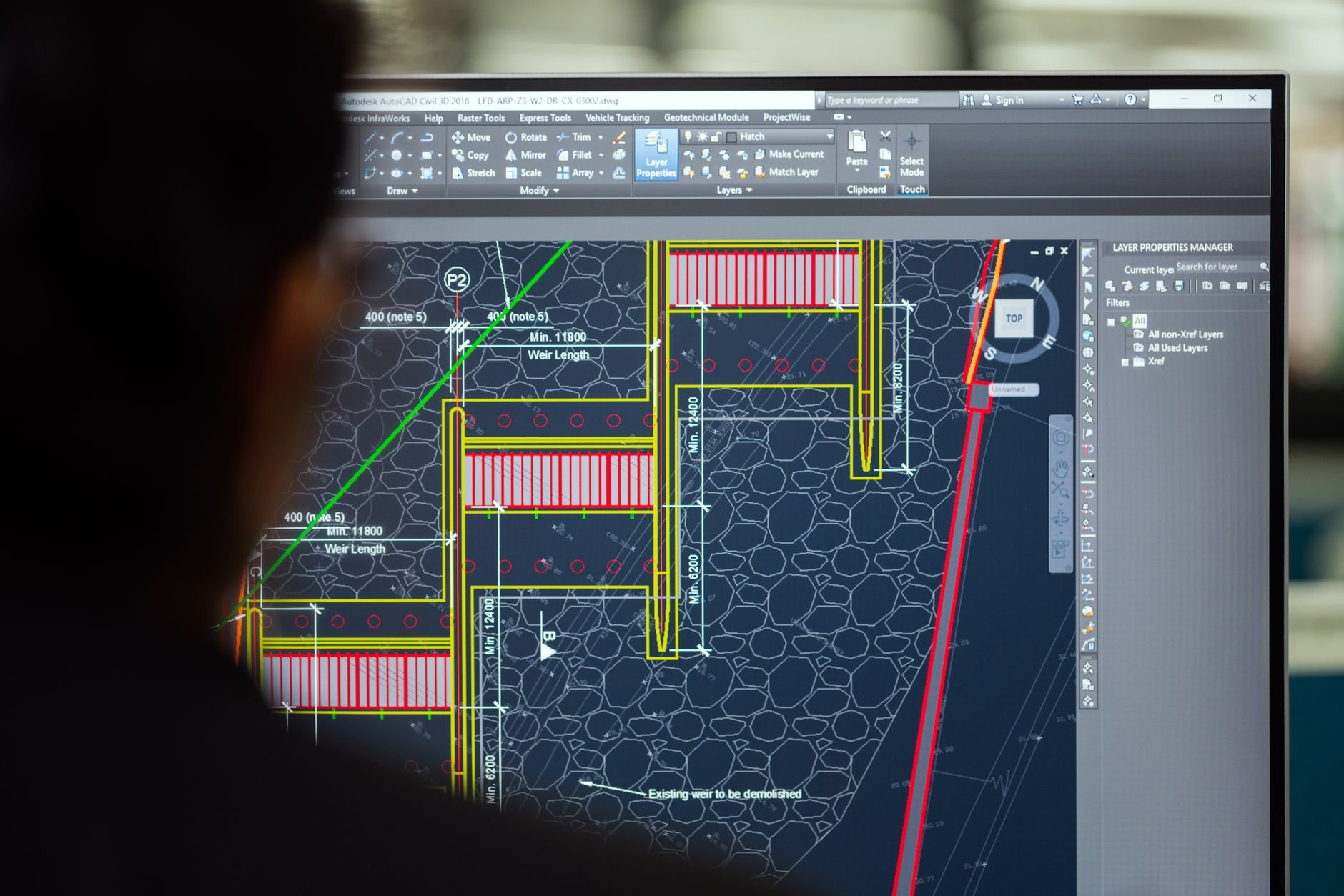
Two approaches dominate solid CAD. Parametric modeling lets the operator capture what Wikipedia calls “design intent”: if a part is designed as it functions, the modeler can change a dimension while keeping the geometric and functional relationships intact.
Direct or explicit modeling takes the opposite route. It provides the ability to edit geometry without a history tree, so a designer pushes and pulls faces without replaying earlier sketches.
- Parametric: best for parts that will be revised, such as an enclosure whose wall thickness changes between prototypes.
- Direct: best for quick edits to imported geometry, where no original sketch exists.
The trade-offs are practical. Parametric history rewards planning: a well-ordered feature tree lets one changed dimension ripple through the whole part, but a badly ordered tree can break when an early feature is edited. Direct modeling forgives a messy start, yet it offers fewer ways to say how a part should respond to later changes. Several commercial packages now blend both modes, and FreeCAD, described by Wikipedia as a feature-based parametric modeler, sits firmly on the parametric side.
Whichever mode you pick, habits carry across tools. Name your sketches, constrain them fully before extruding, keep one body per printed part, and save versions before large edits. These habits matter more than the menu layout of any single program, and they transfer when you eventually change software.
Mesh sculpting tools such as blender belong to a different family. They suit organic shapes and rendering, while CAD suits parts that must fit together.
The commercial CAD landscape
Four vendors shape the paid market. Based on market statistics cited by Wikipedia, commercial software from Autodesk, Dassault Systèmes, Siemens PLM Software, and PTC dominates the CAD industry.
For a hobbyist, that dominance mostly shows up in file exchange: a client or a school may use one of those four vendors, so the ability to import and export neutral formats counts for more than any single feature. Pricing and licensing terms change often, so check each vendor’s own page before committing; this site takes no payment from any vendor and has no affiliate relationship with any product named here.
Students and hobbyists often meet these vendors through education licences or limited personal-use tiers. Those terms have shifted repeatedly across the industry, which is a reason to keep your designs in portable formats. A model locked inside one vendor’s file type is only as safe as that vendor’s licence terms, while a model exported to a neutral format can be reopened elsewhere if the terms change.
Another consideration is cloud versus local software. Cloud-based CAD offers collaboration and automatic backup but depends on a connection and on the provider’s continued service. Desktop applications keep files on your own disk, which suits long-lived projects and offline workshops.
Open-source options, with FreeCAD as the example
FreeCAD shows how far a free tool has come. Wikipedia describes it as free and open-source, under the LGPL-2.0-or-later license, and available for Linux, macOS, and Windows. It is a feature-based parametric modeler with a modular architecture.
Release 1.0 arrived on November 18, 2024 and addressed the topological naming problem, a long-standing complaint in which features broke after an earlier edit. Before that, release 0.20 in June 2022 added more than 30 new tools in TechDraw, its drawing module.
Users can also extend the software with Python. Wikipedia reports that two large companies, Hettich (a furniture fittings maker for IKEA) and Melexis (a semiconductor company), have at least partly integrated FreeCAD into their manufacturing process. A wider survey of no-cost tools is in the guide to free cad software.
The topological naming problem deserves a sentence of explanation, because it shaped how people judged parametric open-source CAD for years. When a model is rebuilt after an edit, features that refer to a specific face or edge by an internal name can lose their target if the numbering changes. The result is a broken fillet or a sketch attached to the wrong face. Wikipedia lists the 1.0 release as the one that addressed it, so older advice about working around the problem may no longer apply to current versions.
Open-source CAD also fits the way makers already work. Because the project is licensed under the LGPL, anyone can inspect, script, and redistribute it, and the Python interface means repetitive modeling tasks, such as generating a family of brackets in different sizes, can be automated. Wikipedia also names STEMFIE, an open-source construction toy system, among the open-source hardware projects that use FreeCAD.
The trade-off is polish. Open-source tools can have a steeper learning curve and rougher documentation than paid packages, so budget time for tutorials and community forums, and test an unfamiliar workbench on a throwaway part before relying on it.
Choosing a tool for your projects
Start from the output, not the brand. A printed part needs a clean solid and an exportable mesh; a laser-cut panel needs flat drawings; a product that will be revised for years benefits from a parametric history.
- List the file formats your printer, cutter, or client requires.
- Model one small real part in two candidate tools and compare how each handles a late dimension change.
- Check which operating systems each tool supports before investing time.
- Confirm that you can export to neutral formats, so a later switch does not strand your files.
Consider three typical cases. A maker who prints replacement parts for household items needs accurate measurement, simple extrusions, and a reliable export; almost any parametric package will do, and a free one is a sensible start. A designer preparing drawings for a workshop needs a solid drawing module, which is where FreeCAD’s TechDraw work matters. A person joining a company or school that standardises on one of the four large vendors will probably learn that vendor’s tool, since file compatibility with colleagues is worth more than personal preference.
It also helps to separate learning from production. Beginners often start with a free tool to learn the concepts of sketches, constraints, and features, then move to another program only if a specific need appears. Because the core ideas are shared, the time is rarely wasted.
Learning time is the real cost. A tool you finish a model in beats a more powerful one you abandon.
Frequently asked questions
What is CAD software used for?
What is CAD software used for?
It is used to design parts, assemblies, and drawings. Wikipedia notes it began with systems like the IBM Drafting System in the mid-1960s and now covers items as ordinary as perfume bottles and shampoo dispensers.
Is FreeCAD good enough for real work?
Is FreeCAD good enough for real work?
Companies such as Hettich and Melexis have at least partly integrated it into manufacturing, according to Wikipedia, and its 1.0 release in November 2024 addressed the topological naming problem.
Which operating systems does FreeCAD run on?
Which operating systems does FreeCAD run on?
Linux, macOS, and Windows, per its Wikipedia entry.
Should a beginner choose parametric or direct modeling?
Should a beginner choose parametric or direct modeling?
Parametric suits parts you will revise, because Wikipedia describes it as preserving design intent when dimensions change; direct modeling suits fast edits without a history tree.